Live Weather
Sri Chaitanya MahaprabhuWeather
4.64.00 Reviews
- Version
- 1.6
- Installs
- 100.00K
- Age Rating
- Everyone
Screenshots
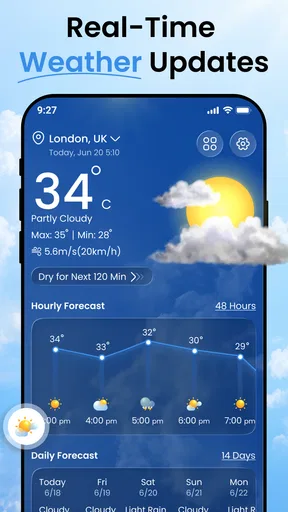
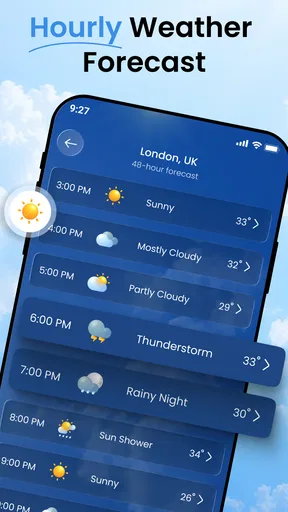
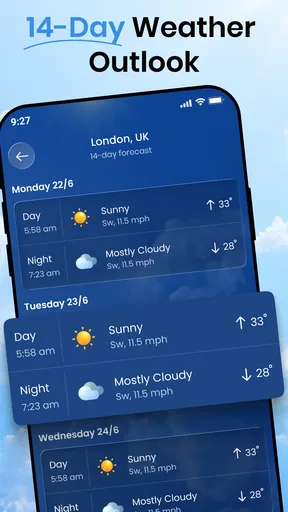
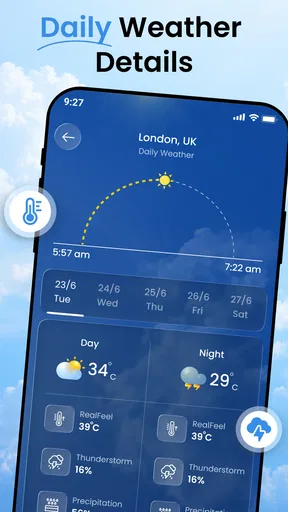
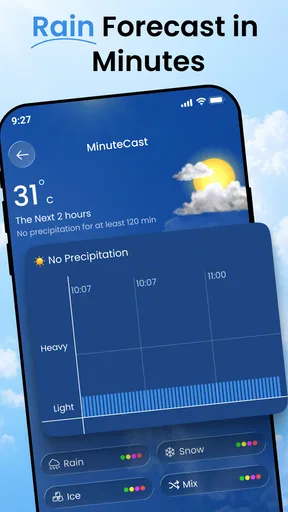
Our Review of Live Weather
 Analysis by Appyee
Weather apps are easy to underestimate. Most people open one while putting on their shoes, look at the next few hours, and decide whether to take an umbrella. That simple habit is exactly where Live Weather makes sense. It is a free weather app from Sri Chaitanya Mahaprabhu, built around checking today’s conditions and using live updates to make ordinary plans with a little less guesswork.
I approached it as a practical daily tool rather than a replacement for every specialist weather service. Its appeal is straightforward: the app focuses attention on current weather information instead of burying the basic answer under an overloaded interface. The current version is 1.3, it works on Android 7.0 or later, and its Everyone rating makes it suitable for a broad household audience.
My overall impression is positive for people who want a quick weather check without paying for access. The important qualification is that a simple forecast app is only as useful as the habit around it. I would not treat one screen as a guarantee for a long hike, a flight, or a safety-critical decision. For commuting, errands, school runs, and deciding what to wear, though, this app has a sensible role.
How I built a dependable daily routine around it
I keep the routine dependable by tying each check to a decision I already make: what to wear, how to travel, or whether an outdoor plan needs a backup. When the day is changeable, I note the period that matters most and check again before it arrives, rather than refreshing without a reason. That habit keeps the forecast useful while making room for the settings that can affect how well it fits my day.
The baseline check is deliberately short
My normal workflow starts before I leave home. I open Live Weather, check the current conditions, and then look ahead at the rest of today rather than stopping at the first number or symbol I see. That second glance matters because a comfortable morning can turn into a wet afternoon, while a cloudy start may clear before lunch.
I then connect the forecast to a decision. If I am walking, rain matters more than a small temperature change. If I am cycling, wind and the timing of showers matter more than whether the day is technically warm. If I am driving, visibility and changing conditions deserve more attention than the feeling outside my front door.
This is one of the app’s strongest practical qualities: it encourages a quick repeatable check. The store summary presents it as a way to check today’s forecast and keep up with live updates, and that focus feels appropriate. I do not need a weather lesson every time I leave the house. I need a clear prompt to reconsider my plan.
For a realistic morning, imagine a school run followed by an outdoor appointment. I would check the current reading while getting ready, scan the daytime forecast, and decide whether a light jacket or rain protection should stay in the bag. Before leaving for the second appointment, I would check again instead of relying on the first glance. That repeat check is more useful than pretending the morning forecast can answer every later question.
What I look at first, and what I avoid overreading
I start with the broad picture: is the day dry, wet, hot, cold, or changeable? Next I look for the part of the day that affects my plan. A forecast is most helpful when translated into a time-based action, such as carrying an umbrella for the afternoon or moving a walk earlier.
I avoid treating a single icon as a complete explanation. A sun symbol does not tell me whether the air will feel cool in the shade, and a cloud does not automatically mean rain. The app is useful as a decision aid, but I still compare what it shows with what I can observe outside, especially when conditions are shifting quickly.
The best habit is to use the app for timing, not certainty. I check before making a plan, check again when the plan is several hours away, and keep a little flexibility when the weather looks unsettled. That approach makes the live-update idea genuinely useful without turning the app into a promise.
Who benefits most from this approach
Live Weather suits someone who wants an uncomplicated weather companion for everyday decisions. It is a good fit for students checking the day before leaving, parents planning short trips, commuters deciding how to travel, and anyone who wants a free option for routine forecast checks.
It can also work well on an older Android phone because the minimum operating-system requirement is Android 7.0. That does not automatically tell me how every device will feel in use, but it does make the app accessible to people who are not using the newest hardware. The broad Everyone age rating is another reason I could see it being used across a household rather than as a niche tool for weather enthusiasts.
The app is less convincing for users who want deep meteorological detail, extensive map layers, severe-weather tools, or a large collection of personalized widgets. Those needs call for a more specialized service. I would also choose a source with stronger professional forecasting tools before planning an exposed outdoor activity where a missed change could have serious consequences.
Settings worth checking before relying on it
I recommend spending a moment reviewing whatever basic settings the installed build presents instead of immediately assuming the initial setup is ideal. The useful questions are practical: is the location correct, is the displayed unit comfortable to read, and does the app show the place I actually care about when I open it?
Location deserves particular attention. A forecast for a nearby town may be good enough for a general commute but less helpful if I live near a coast, a hill, or a sharp change in elevation. If the app asks to use location, I would consider whether automatic positioning is convenient for my routine or whether selecting a familiar place manually gives me more predictable results.
I also prefer to keep the interface consistent. Switching units from one check to another makes it harder to build intuition, especially when comparing today with yesterday. I would choose the format I understand fastest and leave it alone. The goal is not to make the screen look impressive; it is to remove hesitation when I am in a hurry.
Notifications deserve a careful, not automatic, decision. If the installed version offers alerts, I would enable them only when they solve a real problem, such as reminding me to check conditions before a regular commute. Too many weather notifications become background noise, and a noisy alert system can make me ignore the one update that matters.
Because the app is free, I would also review its behavior on my own phone before making it part of a high-pressure routine. I would notice how quickly it opens, whether the information is easy to read outdoors, and whether refreshing feels dependable on my usual connection. These are small checks, but they reveal more about daily suitability than a one-time installation.
Small shortcuts that make repeated checks faster
Experienced use is less about discovering secret functions and more about reducing unnecessary decisions. I keep Live Weather in a predictable place on my phone so I can reach it without searching. If my device supports a home-screen shortcut for the app, I would use that; if not, a consistent app-folder position is still enough to create a fast routine.
I also pair the weather check with existing habits. Opening it after dismissing my alarm works for morning plans, while checking again before lunch helps with afternoon commitments. Linking the app to something I already do is more reliable than expecting myself to remember a separate weather ritual.
Another useful pattern is to check at decision points rather than at random. I look before leaving, before starting a long walk, before putting laundry outside, or before carrying equipment that should not get wet. This keeps the app relevant and avoids repeatedly refreshing out of anxiety when no decision has changed.
For a day with several appointments, I make a simple mental note of the most weather-sensitive part. If the morning is flexible but the evening event is outdoors, I focus on the later conditions and check again closer to that time. This is a better use of live updates than repeatedly studying the current temperature while ignoring the period that actually affects my plans.
There is also a useful trade-off between speed and context. A fast glance is fine for deciding whether I need a coat. If I am deciding whether to cycle across town, I spend longer looking at the day’s progression and then allow extra time for a change in conditions. The app can support both behaviors, but it cannot decide how much risk or inconvenience I am willing to accept.
Where it compares well with familiar alternatives
Compared with checking a search engine, Live Weather gives me a dedicated place to return to instead of repeating the same query. That can feel calmer for a daily routine. Compared with a built-in phone weather panel, its value depends on whether its presentation and live updates fit my preferences better than the default tool already installed on the device.
Compared with large weather platforms, the attraction is restraint. Many established alternatives combine forecasts with radar, maps, alerts, videos, pollen information, air quality, and other layers. That breadth is valuable when I need investigation. It can also slow down a basic check. Live Weather is more appealing when my question is simply, “What should I expect today?”
The reverse trade-off is important. A larger service may be better when I need to compare locations, inspect a storm’s movement, or understand a forecast in greater depth. I would not switch away from a detailed weather platform for a trip that depends on several conditions at once. I would use Live Weather alongside a more capable source if its quick daily view was easier to consult.
Its free price removes a common barrier for casual users. I can recommend trying it without asking someone to commit to a subscription. Still, free access alone is not a reason to keep an app. The deciding factor should be whether its current-weather workflow is clearer and more convenient than the phone’s existing option.
Limits advanced users should understand
The biggest limitation is not a missing button; it is the natural boundary of a focused weather app. A live update is still an update, not a guarantee that every local change will appear immediately or that conditions will match my exact street. Weather is especially variable around coastlines, mountains, dense cities, and open rural areas.
I would therefore avoid using this app as my only source for serious outdoor planning. For a long hike, I want more context about changing conditions and an alternative way to verify safety. For travel, I want to check the destination as well as the departure point. For work involving exposure to heat, cold, wind, or rain, I would follow the relevant official guidance rather than relying on a quick consumer forecast.
There is a second limitation in the app’s simplicity. A clean daily view may help me act quickly, but it may not explain why the forecast changed or how confident I should feel about a distant prediction. That is not necessarily a flaw for casual use, yet it matters to anyone who wants to study weather patterns rather than simply prepare for the day.
I also would not assume that a phone running an older supported Android release will deliver the same experience as a newer device. Screen size, connection quality, battery settings, and background restrictions can all affect convenience. If live information is central to my routine, I would test the app under the conditions where I actually use it, including outdoors and on mobile data.
Finally, I would treat location selection as a recurring point of attention when traveling. An app that is useful at home can become misleading if it continues showing the wrong place or if I forget to switch back afterward. A quick location check before relying on the forecast is a small discipline that prevents a surprisingly basic mistake.
What the version and developer tell me about the choice
The app is developed by Sri Chaitanya Mahaprabhu and currently sits at version 1.3. I read that as a reason to keep expectations practical: the product is suitable for trying as a focused weather utility, but I would not choose it solely because I expect a mature ecosystem of advanced tools around it.
That does not make it a poor option. A small, direct app can be exactly what someone wants, especially when the main task is checking today’s conditions. It simply means I would judge it by consistency, readability, and how well it fits my routine rather than by comparing its feature count with the biggest names in weather.
The install base is over ten thousand, which gives the app a real user presence while still placing it in a more modest category than the most familiar weather services. For me, that reinforces the same conclusion: try it for everyday forecasting, observe how it behaves on your device, and keep a second source available when the decision carries more weight.
My verdict after making it part of the routine
I would recommend Live Weather to a friend who wants a free, approachable way to check the day before heading out. Its strongest quality is focus. It supports a repeatable pattern: open it, understand the day, connect the forecast to a plan, and check again when the timing matters.
I especially like it for ordinary situations where speed matters more than deep analysis. Choosing clothes, preparing for a commute, deciding whether to walk, and protecting an afternoon errand from an avoidable shower are all sensible uses. The app’s Everyone rating and compatibility with Android 7.0 or later also make it an easy candidate for a shared household phone or an older personal device.
I would skip it if I need detailed radar interpretation, extensive location comparison, specialist warnings, or strong decision support for hazardous conditions. In those cases, a broader weather service or an official source is the better tool. I would also skip it if my phone’s existing weather panel already gives me the same information more conveniently.
For everyone else, the right way to judge Live Weather is not by opening it once and waiting to be impressed. Use it for several real decisions. Check it before leaving, revisit it before the weather-sensitive part of the day, and see whether its presentation helps you act faster. Its real strength is the repeatable habit it can support, not a promise that weather will ever become perfectly predictable.
My final view is that this is a sensible free weather app with a clear everyday purpose. It is neither a full meteorological workstation nor something I would use alone for serious risk planning. As a quick companion for today’s conditions and live updates, however, it earns a place on the phone of anyone who values a short, practical forecast check.
Privacy and Permissions
See what permissions an app requests and how it handles your data.
- Location
- approximate location (network-based), precise location (GPS and network-based)
- Wi-Fi connection information
- view Wi-Fi connections
- Other
- view network connections, full network access, run at startup, control vibration, prevent device from sleeping, Google Play license check
Verdict
Strengths of Live Weather
- Clear forecasts with hourly and daily weather details.
- Useful alerts help users prepare for storms and sudden changes.
- Location support makes checking weather in different places easy.
- Clean interface allows quick access to essential conditions.
- Helpful widgets can display weather information without opening the app.
Limitations of Live Weather
- Some advanced features may require a paid subscription.
- Advertising can make the free version feel less streamlined.
- Forecast accuracy may vary depending on location and data coverage.
- Frequent notifications can become distracting if not customized.
- The app may use extra battery when location tracking is enabled.
Similar Picks in This Category
View All
Weather - By Xiaomi
Xiaomi Inc.4.1

Weather & Radar Forecast
WetterOnline4.8

Weather
OneLouder Apps4.6

AccuWeather: Weather Radar
AccuWeather3.6

The Weather Channel - Radar
The Weather Channel4.6

1Weather Forecasts & Radar
OneLouder Apps4.3
Frequently Asked Questions
What is Live Weather and what does it offer?
Live Weather is a weather app designed to provide current conditions, forecasts, and useful atmospheric information in a simple mobile interface. After exploring the app, users can typically check temperature, precipitation, wind, humidity, visibility, and daily or hourly forecasts. Its live-style updates are helpful for planning commutes, outdoor activities, travel, and everyday routines.
Does Live Weather require an internet connection or location access?
Live Weather needs an internet connection to retrieve updated weather information from its online data sources. Location access is usually requested so the app can automatically display conditions for your current area, although users may also be able to search for cities manually. If privacy is a concern, you can deny continuous location access and enter locations yourself.
How accurate are the forecasts in Live Weather?
Forecast accuracy depends on the quality of the weather providers used by Live Weather, your location, and how far ahead you are checking. Current conditions and short-term forecasts are generally more dependable than predictions several days into the future. The app should be treated as a convenient guide, while official alerts remain preferable during severe or hazardous weather.
Does Live Weather provide severe weather alerts and notifications?
Live Weather may support notifications for changing conditions, rain, storms, temperature changes, or other weather events, depending on the version and your region. Before relying on alerts, review the notification settings and confirm that permissions are enabled. Availability can vary by country, data provider, and device, so the app should not be your only source for emergency warnings.
Is Live Weather free to download, and are there advertisements or premium features?
Live Weather can generally be downloaded without an upfront charge, but the exact business model may vary between Android and iOS versions. Free access may include advertising, while premium options can remove ads or unlock additional widgets, detailed forecasts, radar views, or customization tools. Check the store listing and subscription terms before confirming any purchase.
